



Download Panda Antivirus – Secure, Real‑Time Protection for macOS
Overview
Panda Antivirus for Mac is a dedicated security suite that brings real‑time and on‑demand virus protection to Apple computers. Built on the same cloud‑driven engine that powers Panda’s Windows products, the Mac version scans for both macOS‑specific threats and cross‑platform malware such as Windows viruses, Trojan horses, and ransomware that could affect shared files or external devices. The application’s most distinctive visual element is its circular user interface, which presents actions like “Full Scan,” “Quick Scan,” or “Custom Scan” as clickable segments around a central hub. While the design can feel unconventional at first, it aims to simplify decision‑making for users who prefer a visual cue over traditional menus.
Behind the eye‑catching UI lies a solid set of security mechanisms: an always‑on background monitor watches file activity, a sandboxed quarantine isolates suspicious items, and a comprehensive log records every detection and action taken. Panda Antivirus automatically updates its virus definitions via a secure cloud channel, ensuring the latest threats are blocked without user intervention. It also supports scanning of external hard drives, USB sticks, and iOS devices like iPhones and iPads when they are connected to the Mac.
For users who have long believed macOS does not need antivirus software, Panda provides a gentle reminder that cross‑platform attacks are real, especially in mixed‑environment offices or homes. The solution is positioned as a “try‑before‑you‑buy” offering, with a free trial that lets you evaluate the engine before committing to a subscription. If you are looking for a lightweight, cloud‑managed, and visually unique security tool for your Mac, Panda Antivirus deserves a close look.
Key Features
- Real‑time cloud‑based scanning: Continuous monitoring of file activity with instant threat verification from Panda’s global threat intelligence network.
- Cross‑platform malware detection: Identifies Windows viruses, Trojans, and ransomware that could be transferred via shared files or external drives.
- Circular user interface: Interactive hub that lets you start full, quick, or custom scans with a single click, reducing navigation complexity.
- Secure quarantine: Suspicious items are isolated in a protected vault, preventing accidental execution while you decide on removal or restoration.
- Automatic definition updates: Daily cloud updates keep the engine current without manual downloads or restarts.
- Device scanning support: Compatible with external hard disks, USB flash drives, and connected iOS devices (iPhone, iPad) for comprehensive coverage.
- Detailed activity log: Every detection, quarantine, and user action is recorded, giving you full visibility into the security events on your Mac.
- Low system impact: Optimized for macOS to run in the background with minimal CPU and memory usage, preserving battery life on laptops.
- Multi‑language support: Interface and alerts are available in several major languages, catering to a global user base.
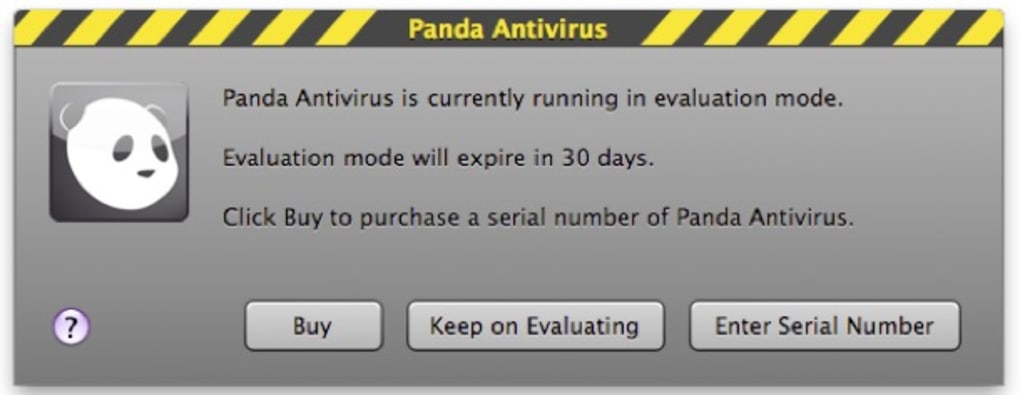
- Free trial & flexible licensing: Test the full feature set for 30 days, then choose between annual or monthly subscription plans.
Installation, Setup, and Compatibility
Getting started with Panda Antivirus on your Mac is straightforward. Download the installer from the official Panda Security website, then double‑click the .dmg file to mount the disk image. Drag the Panda Antivirus icon into your Applications folder, and launch the app. The first launch will trigger a brief system extension approval process; macOS will prompt you to allow the security extension in System Preferences → Security & Privacy. Once approved, the application will complete its initial background update, downloading the latest virus definitions and cloud configuration.
Initial configuration: The onboarding wizard walks you through three key choices: enabling real‑time protection, scheduling automatic scans, and selecting which drives or devices to monitor. By default, Panda enables real‑time scanning for all internal volumes and sets a weekly quick scan for external media. You can customize these settings later in the Preferences pane, where options such as “Scan when files are opened” or “Exclude specific folders” are available.
Supported operating systems: Panda Antivirus is designed for macOS 10.14 (Mojave) and later, including macOS 11 (Big Sur), macOS 12 (Monterey), and macOS 13 (Ventura). The software leverages Apple’s native security frameworks, ensuring seamless integration with Gatekeeper, XProtect, and System Integrity Protection. While the primary focus is on desktop and laptop Macs, the app can also scan iOS devices when they are connected via USB, provided the iOS version is 12.0 or newer.
Usage tips: After installation, the circular interface becomes the central control hub. Clicking the outer ring initiates a “Full Scan,” which examines every file on the selected drive. The inner segments allow quick scans of system folders, custom scans of specific directories, or manual file checks via drag‑and‑drop. For power users, the “Advanced Settings” tab offers deeper controls such as exclusion rules, alert thresholds, and integration with third‑party firewalls.
Updating the software: Panda checks for both definition updates and application patches automatically each time the Mac connects to the internet. An unobtrusive notification appears in the menu bar if a new version is available, and you can apply it with a single click. This automatic update model ensures you stay protected against emerging threats without having to remember manual downloads.
Pros & Cons
Pros
- Cloud‑driven real‑time protection that stays current with minimal user effort.
- Cross‑platform malware detection adds an extra layer of safety for mixed‑OS environments.
- Unique circular UI can be more intuitive for visual learners.
- Low impact on system performance, preserving battery life on laptops.
- Comprehensive logging and quarantine features give full visibility and control.
- Supports scanning of external drives and connected iOS devices.
- Free trial allows risk‑free evaluation before purchase.
Cons
- The circular interface may feel awkward or unintuitive to users accustomed to traditional menus.
- Limited advanced configuration compared to some enterprise‑grade macOS security suites.
- No built‑in VPN or firewall; you need separate tools for a complete security stack.
- Subscription pricing can be higher than basic free macOS protectors.
- Occasional false positives on obscure macOS utilities, requiring manual review.
FAQ
Does Panda Antivirus for Mac protect against macOS‑specific malware?
Yes. While Panda’s engine is cloud‑based and excels at detecting Windows and cross‑platform threats, it also includes signatures for macOS‑specific viruses, adware, and trojans. The real‑time scanner monitors file activity on the Mac and quarantines any suspicious macOS binaries.
Can I scan my iPhone or iPad when it’s connected to the Mac?
Absolutely. Panda Antivirus can perform a quick scan of connected iOS devices, checking for malicious files or compromised apps that might have been transferred via the Mac. The scan uses the same cloud definitions, ensuring up‑to‑date protection.
How much system resources does Panda Antivirus consume?
Panda is engineered to run with a low CPU and memory footprint. During idle periods, it typically uses less than 2 % of CPU and around 100 MB of RAM, which is negligible for modern Macs. Full scans will temporarily increase usage, but the app throttles its activity to keep the system responsive.
Is the software compatible with macOS Ventura (13) and later?
Yes. Panda Antivirus supports macOS 10.14 and newer, which includes Ventura (13) and subsequent releases. The developers regularly release patches to maintain compatibility with Apple’s security updates.
What happens after the free trial ends?
When the 30‑day trial expires, the application prompts you to choose a subscription plan. You can continue using the core real‑time engine with limited features for free, but advanced options like scheduled scans and priority cloud updates require an active subscription.
Conclusion – Secure Your Mac Today
Panda Antivirus for Mac delivers a balanced mix of modern cloud intelligence, cross‑platform threat detection, and a distinctive visual interface that sets it apart from conventional macOS security tools. While the circular UI may divide opinions, the underlying protection engine is solid, automatically updating and providing real‑time defense against both macOS‑specific and Windows‑based malware. For users who value a lightweight, low‑impact solution that still scans external drives and connected iOS devices, Panda offers a compelling option. The free trial lets you test the experience without commitment, and the subscription plans are competitively priced for personal and small‑business use.
Ready to give your Mac the extra layer of security it deserves? Download Panda Antivirus now, start the 30‑day trial, and enjoy peace of mind knowing your data is protected against the latest threats.







